By: Christine Williams Posted in: Technology
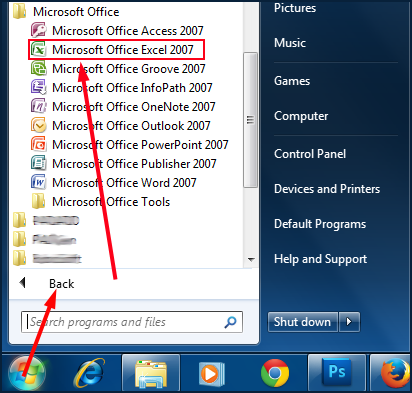
 Open Microsoft Excel (Start » All Programs » Microsoft Office » Microsoft Office Excel)
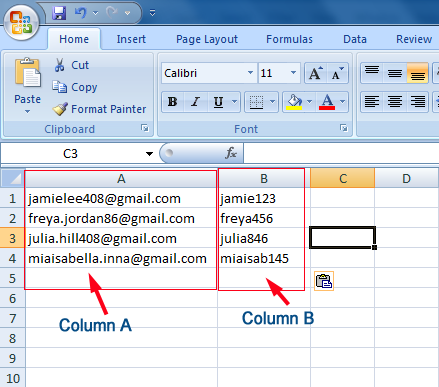
 After Opening Microsoft Excel, Make two columns; Enter Gmail username in A column & enter Gmail password in B column.
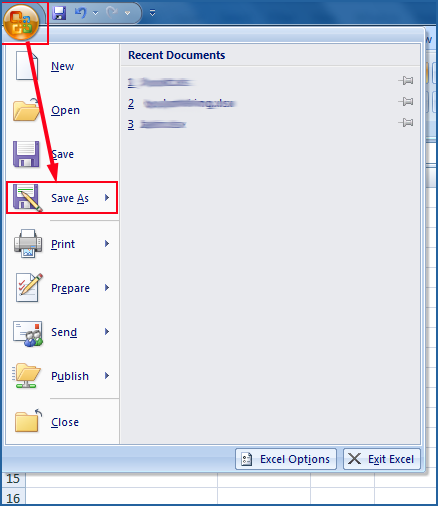
 After finishing this process, Go to the File Menu and select Save As
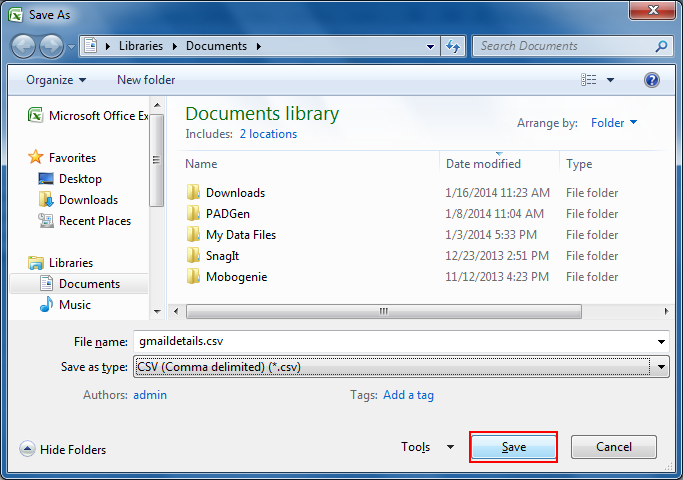
 Enter filename and select Save as type -- CSV (comma delimited)(*.csv) from drop down
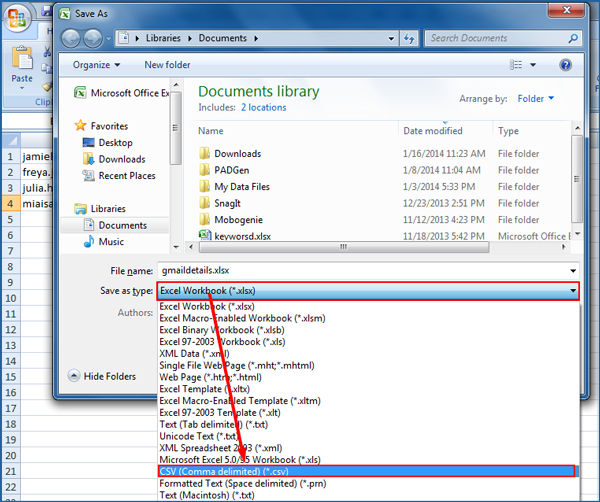
 Click Save.
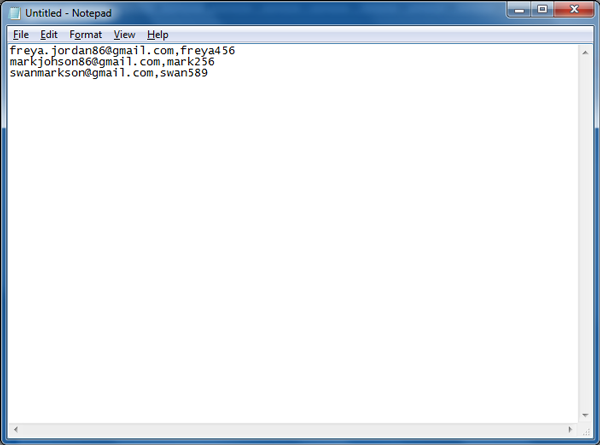
Open Notepad (Start » All Programs » Accessories » Notepad)
After Opening Notepad, On the line, add a record (username, password) for each item. Separate each record with a single line break. For Ex: <username>, <password>
After finishing this process, Go to the File Menu and select Save As
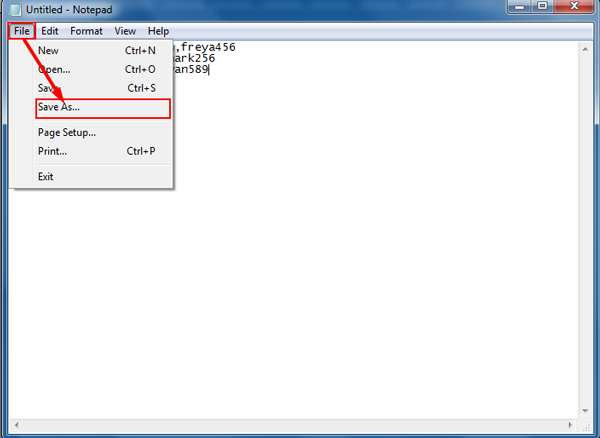
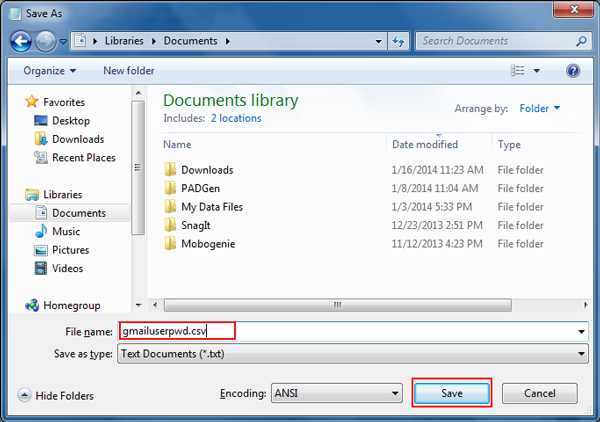
Type <filename>.csv and click Save.