By: Mithel Starc Posted in: Technology, Google Apps
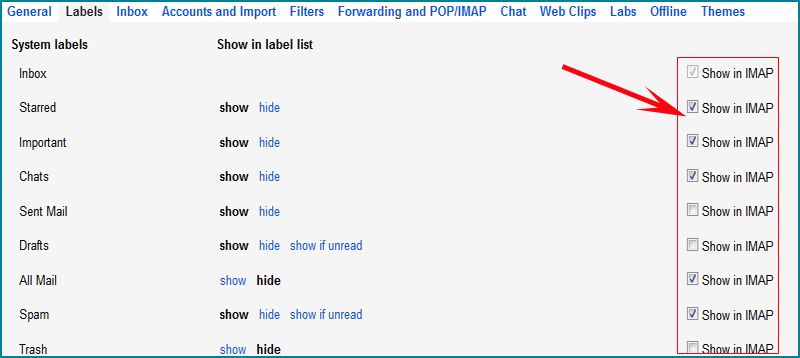
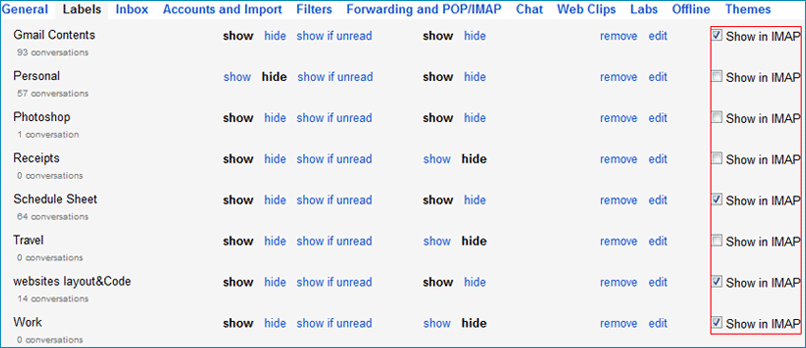
If you want to backup specific labels/folders emails from Gmail/Google Apps, then you can select/unselect specific labels/folders to “Show in IMAP” from Gmail account, Here are simple steps to know How to select/unselect specific labels/folders from Gmail/Google Apps Account following as:
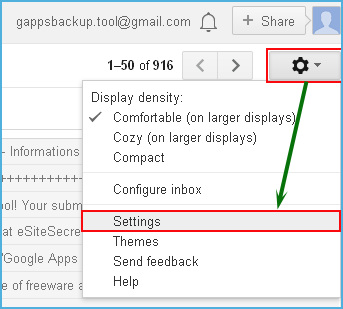
 After sign in Gmail/Google Apps mail login, go to Click Setting (Gear icon in the upper/right).
Then Select Tab (Forwarding and POP/IMAP and Labels),
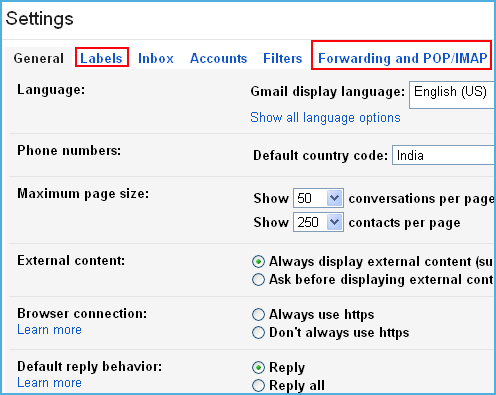
 First, Go to Gmail.com » Settings » Forwarding and POP/IMAP Tab
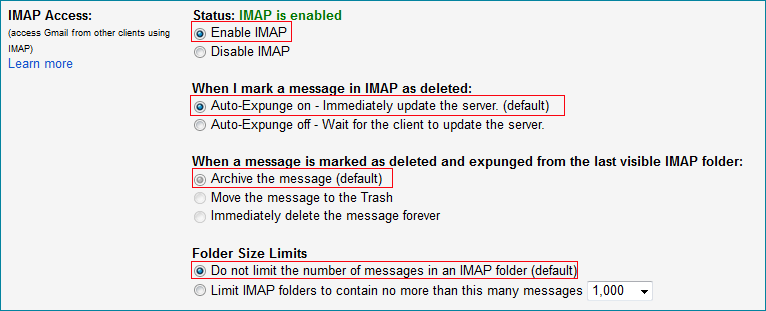
 Second, Also Go to Gmail.com > Settings > Labels Tab